Vendor: Linux Foundation
Certifications: Linux Foundation Certifications
Exam Code: CKS
Exam Name: Linux Foundation Certified Kubernetes Security Specialist (CKS)
Updated: May 31, 2026
Q&As: 46 ( View Details)
Note: Product instant download. Please sign in and click My account to download your product.

The CKS Questions & Answers covers all the knowledge points of the real exam. We update our product frequently so our customer can always have the latest version of the brain dumps. We provide our customers with the excellent 7x24 hours customer service. We have the most professional expert team to back up our grate quality products. If you still cannot make your decision on purchasing our product, please try our free demo.
Experience
Pass4itsure.com exam material in PDF version.
Simply submit your e-mail address below to get
started with our PDF real exam demo of your
Linux Foundation CKS exam.
Instant download
Latest update demo according to real exam
VCE
Create a PSP that will only allow the persistentvolumeclaim as the volume type in the namespace restricted.
Create a new PodSecurityPolicy named prevent-volume-policy which prevents the pods which is having different volumes mount apart from persistentvolumeclaim.
Create a new ServiceAccount named psp-sa in the namespace restricted.
Create a new ClusterRole named psp-role, which uses the newly created Pod Security Policy prevent-volume-policy
Create a new ClusterRoleBinding named psp-role-binding, which binds the created ClusterRole psp-role to the created SA psp-sa.
Hint:
Also, Check the Configuration is working or not by trying to Mount a Secret in the pod maifest, it should get failed.
POD Manifest:
1.
apiVersion: v1
2.
kind: Pod
3.
metadata:
4.
name:
5.
spec:
6.
containers:
7.
- name:
8.
image:
9.
volumeMounts: 10.- name: 11.mountPath: 12.volumes: 13.- name: 14.secret: 15.secretName:
A. See the below:
B. PlaceHolder
Correct Answer: A
apiVersion: policy/v1beta1
kind: PodSecurityPolicy
metadata:
name: restricted
annotations:
seccomp.security.alpha.kubernetes.io/allowedProfileNames:
'docker/default,runtime/default'
apparmor.security.beta.kubernetes.io/allowedProfileNames: 'runtime/default' seccomp.security.alpha.kubernetes.io/defaultProfileName: 'runtime/default' apparmor.security.beta.kubernetes.io/defaultProfileName: 'runtime/default' spec:
privileged: false
# Required to prevent escalations to root.
allowPrivilegeEscalation: false
# This is redundant with non-root + disallow privilege escalation, # but we can provide it for defense in depth.
requiredDropCapabilities:
-ALL
# Allow core volume types.
volumes:
-'configMap'
-'emptyDir'
-'projected'
-'secret'
-'downwardAPI'
# Assume that persistentVolumes set up by the cluster admin are safe to use.
-'persistentVolumeClaim'
hostNetwork: false
hostIPC: false
hostPID: false
runAsUser:
# Require the container to run without root privileges.
rule: 'MustRunAsNonRoot'
seLinux:
# This policy assumes the nodes are using AppArmor rather than SELinux.
rule: 'RunAsAny'
supplementalGroups:
rule: 'MustRunAs'
ranges:
# Forbid adding the root group.
-
min: 1
max: 65535
fsGroup:
rule: 'MustRunAs'
ranges:
# Forbid adding the root group.
-
min: 1
max: 65535
readOnlyRootFilesystem: false
Create a PSP that will prevent the creation of privileged pods in the namespace.
Create a new PodSecurityPolicy named prevent-privileged-policy which prevents the creation of privileged pods.
Create a new ServiceAccount named psp-sa in the namespace default.
Create a new ClusterRole named prevent-role, which uses the newly created Pod Security Policy prevent-privileged-policy.
Create a new ClusterRoleBinding named prevent-role-binding, which binds the created ClusterRole prevent-role to the created SA psp-sa.
Also, Check the Configuration is working or not by trying to Create a Privileged pod, it should get failed.
A. See the below.
B. PlaceHolder
Correct Answer: A
Create a PSP that will prevent the creation of privileged pods in the namespace. $ cat clusterrole-use-privileged.yaml apiVersion: rbac.authorization.k8s.io/v1
kind: ClusterRole metadata: name: use-privileged-psp rules:
-apiGroups: ['policy']
resources: ['podsecuritypolicies']
verbs: ['use']
resourceNames:
-default-psp
apiVersion: rbac.authorization.k8s.io/v1 kind: RoleBinding metadata: name: privileged-role-bind namespace: psp-test roleRef: apiGroup: rbac.authorization.k8s.io kind: ClusterRole name: use-privileged-psp subjects:
-kind: ServiceAccount name: privileged-sa $ kubectl -n psp-test apply -f clusterrole-use-privileged.yaml
After a few moments, the privileged Pod should be created.
Create a new PodSecurityPolicy named prevent-privileged-policy which prevents the creation of privileged pods.
apiVersion: policy/v1beta1
kind: PodSecurityPolicy
metadata:
name: example
spec:
privileged: false # Don't allow privileged pods!
# The rest fills in some required fields.
seLinux:
rule: RunAsAny
supplementalGroups:
rule: RunAsAny
runAsUser:
rule: RunAsAny
fsGroup:
rule: RunAsAny
volumes:
-'*'
And create it with kubectl:
kubectl-admin create -f example-psp.yaml
Now, as the unprivileged user, try to create a simple pod:
kubectl-user create -f- < apiVersion: v1 kind: Pod metadata: name: pause spec: containers: -name: pause image: k8s.gcr.io/pause EOF The output is similar to this: Error from server (Forbidden): error when creating "STDIN": pods "pause" is forbidden: unable to validate against any pod security policy: [] Create a new ServiceAccount named psp-sa in the namespace default. $ cat clusterrole-use-privileged.yaml apiVersion: rbac.authorization.k8s.io/v1 kind: ClusterRole metadata: name: use-privileged-psp rules: -apiGroups: ['policy'] resources: ['podsecuritypolicies'] verbs: ['use'] resourceNames: -default-psp apiVersion: rbac.authorization.k8s.io/v1 kind: RoleBinding metadata: name: privileged-role-bind namespace: psp-test roleRef: apiGroup: rbac.authorization.k8s.io kind: ClusterRole name: use-privileged-psp subjects: -kind: ServiceAccount name: privileged-sa $ kubectl -n psp-test apply -f clusterrole-use-privileged.yaml After a few moments, the privileged Pod should be created. Create a new ClusterRole named prevent-role, which uses the newly created Pod Security Policy prevent-privileged-policy. apiVersion: policy/v1beta1 kind: PodSecurityPolicy metadata: name: example spec: privileged: false # Don't allow privileged pods! # The rest fills in some required fields. seLinux: rule: RunAsAny supplementalGroups: rule: RunAsAny runAsUser: rule: RunAsAny fsGroup: rule: RunAsAny volumes: -'*' And create it with kubectl: kubectl-admin create -f example-psp.yaml Now, as the unprivileged user, try to create a simple pod: kubectl-user create -f- < apiVersion: v1 kind: Pod metadata: name: pause spec: containers: -name: pause image: k8s.gcr.io/pause EOF The output is similar to this: Error from server (Forbidden): error when creating "STDIN": pods "pause" is forbidden: unable to validate against any pod security policy: [] Create a new ClusterRoleBinding named prevent-role-binding, which binds the created ClusterRole prevent-role to the created SA psp-sa. apiVersion: rbac.authorization.k8s.io/v1 # This role binding allows "jane" to read pods in the "default" namespace. # You need to already have a Role named "pod-reader" in that namespace. kind: RoleBinding metadata: name: read-pods namespace: default subjects: # You can specify more than one "subject" -kind: User name: jane # "name" is case sensitive apiGroup: rbac.authorization.k8s.io roleRef: # "roleRef" specifies the binding to a Role / ClusterRole kind: Role #this must be Role or ClusterRole name: pod-reader # this must match the name of the Role or ClusterRole you wish to bind to apiGroup: rbac.authorization.k8s.io apiVersion: rbac.authorization.k8s.io/v1 kind: Role metadata: namespace: default name: pod-reader rules: -apiGroups: [""] # "" indicates the core API group resources: ["pods"] verbs: ["get", "watch", "list"]
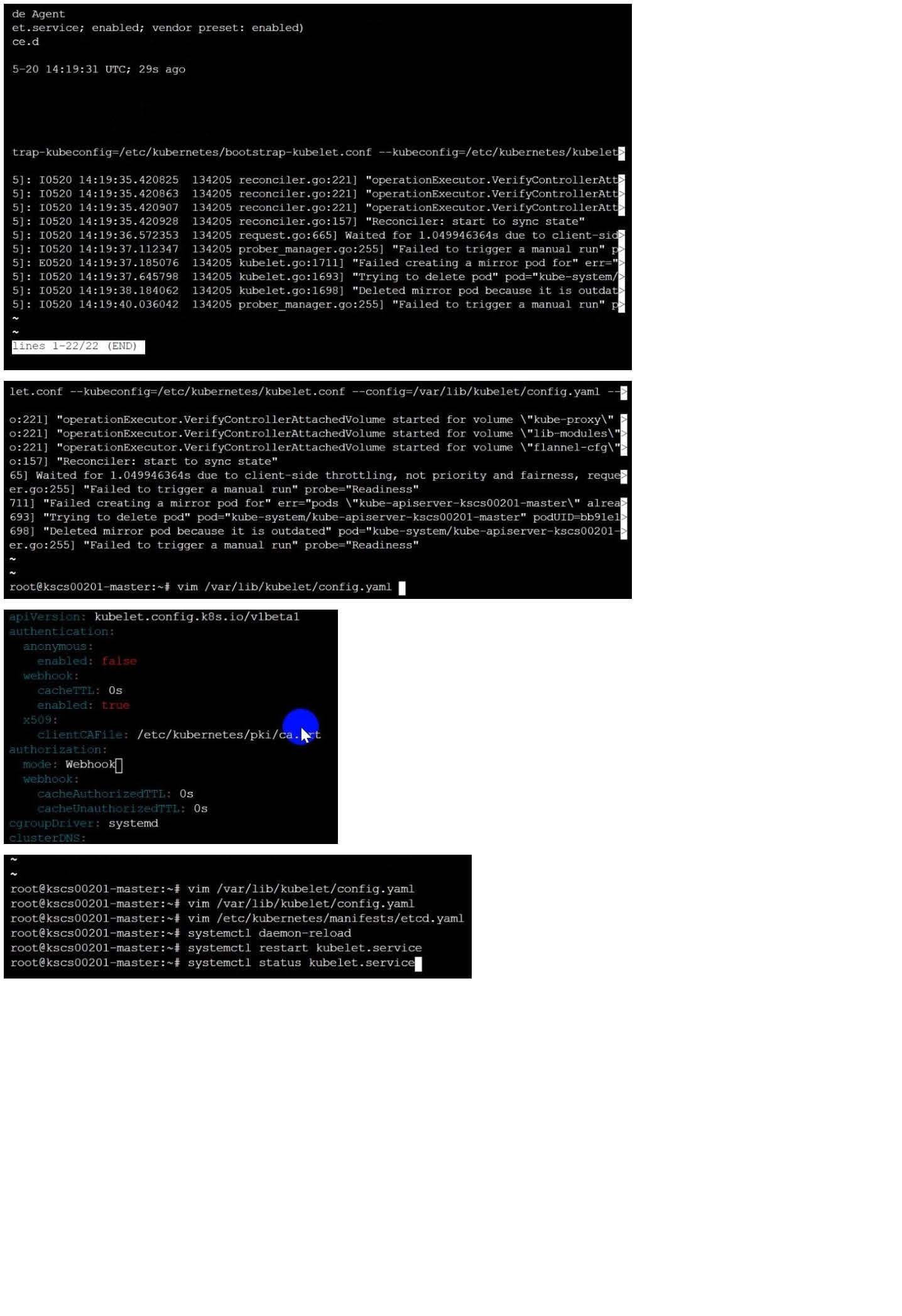
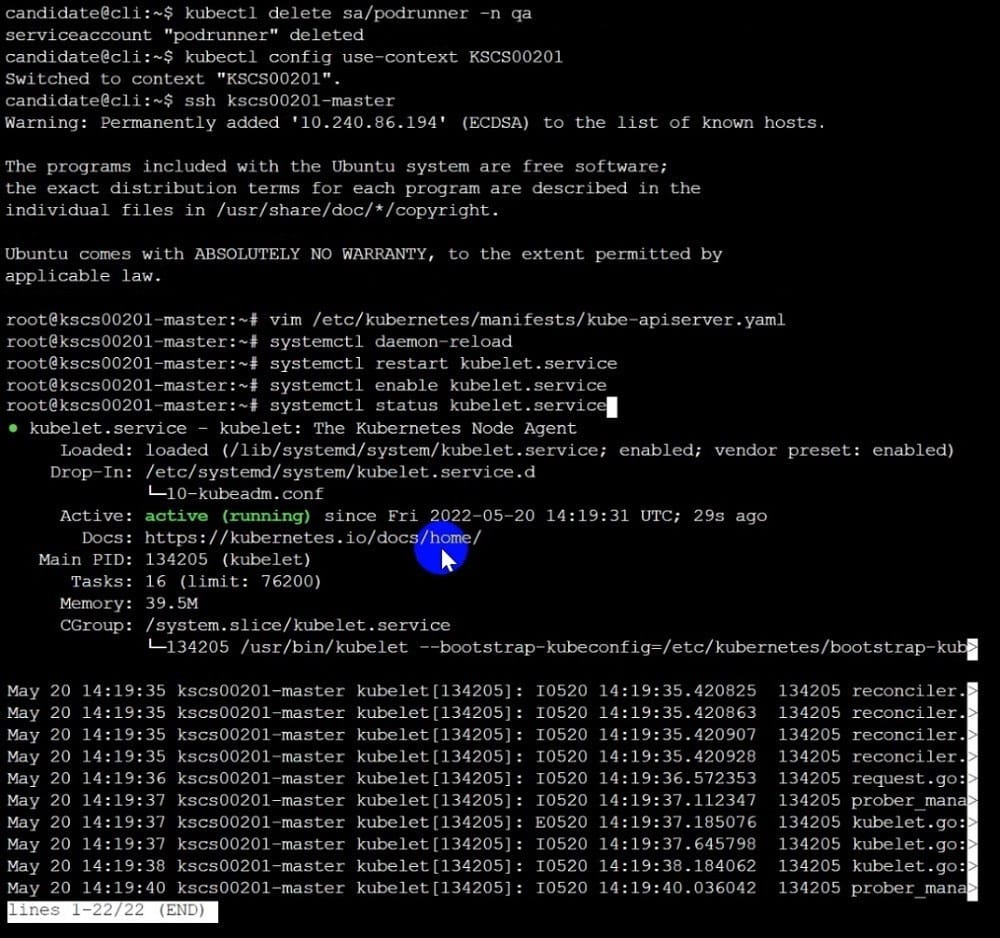
A CIS Benchmark tool was run against the kubeadm-created cluster and found multiple issues that must be addressed immediately.
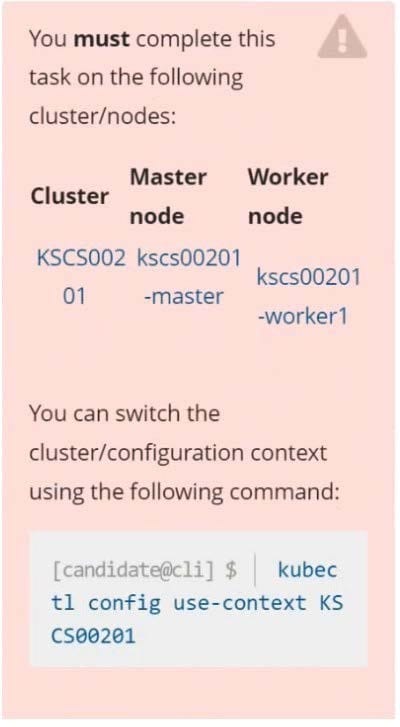
Fix all issues via configuration and restart the affected components to ensure the new settings take effect. Fix all of the following violations that were found against the API server:

Fix all of the following violations that were found against the Kubelet: Fix all of the following violations that were found against etcd:


A. See explanation below.
B. PlaceHolder
Aaron
PakistanNow, i'm very happy that i have passed the exam in the morning. Thanks for my friend introduce this good dumps to me. i will also recommend this good dumps to others.

Quennell
EgyptThe new questions in the exam are not the new questions for me because I have met them when I used this material . So there is no doubt that I have passed the exam with high score. Recommend this material strongly.

Parker
HungaryA valid dumps. It helped me pass the exam in short time. Thanks a million.

zero
South KoreaI have passed the exam with good scores, thanks very much.
Miles
EgyptAlready pass. Valid dumps. Good site. Thanks guys.

Nebeker
South AfricaThis dumps is very valid and is enough to your exam, so just trust on it and do it carefully.

Rock
Ghanatook the exams yesterday and scored 9xx.dumps are valid. almost all of the multiple choice came out. I advice know ur material very well and then U can read dumps. good success
Nathen
South AfricaPassed today......... Thanks a lot guys! I only Study your manuals and sims. Valid dumps! Good luck to u all~!

Zoubesh
BelgiumThis is very good dumps with almost 100% correct answers, much better than any other dumps. Recommend.

Harold
United KingdomDump valid! Only 3 new questions but they are easy.

All the products and all the demos on Pass4itsure.com are in PDF version which designed exactly according to the real exam questions and answers. We have free demos for almost all of our products and you can try our demos before buying.
All the latest Q&As are created directly correspond to the real questions and answers by professionals and ensured by experts to guarantee the accuracy. If you understand the knowledge points provided in our Q&As, you can pass the exam easily.
All the products are updated frequently but not on a fixed date. Our professional team pays a great attention to the exam updates and they always upgrade the content accordingly.
The free update offer is only valid for one year after you've purchased the products. If you still want to update your questions after one year, login your account in our site, and you can get the new one with 50% discounts.
After your order has been confirmed, you will be able to download the product instantly. You need to log in your account-click My Account-click the Invoice or Detail, then you will go to the download page. Click the download button to download the product.If it shows "Exam updating. Please download it later." It means there are latest updates for your exam and our expert team is revising the exam. We will send you it via email or you may download it later.
You can enjoy one year free update after your purchase.
Product validation period cannot be extended. But you can renew your product. Please login your account and click the 'Renew' button next to each expired product in your User Center. Renewal of expired product is 50% of the original price and you can use it for another one year.
For Lab user, Adobe Reader and AVI player are required.
Set WinZip as your primary decompress tools which you can download at http://www.winzip.com.
We currently only accepts payments with PayPal (www.paypal.com).
You may contact us to report the case and we will help you to reset your password.
We respect your privacy and, therefore, we do not sell or rent the personal information you provide to us to any third party you do not wish us to do so. Upon your request, we will not share your personal information with any unaffiliated third party. One of our highest priorities is to ensure your privacy and peace of mind by employing some of the most advanced online security in the industry. Every step of the way, we provide you with the state-of-the-art encryption of all data transmitted between your computer and our secure site.
We use the US dollar as the currency in most of our transaction and if you paid in other currency such as Pound, Euro or any other, they will be converted using our real –time currency exchange, so there may be different of your bill.
We do not charge any extra fee. But you may be charged the transaction fee by your bank. You can contact your bank to make sure. We do not take any extra money from our customers.
We offer some discounts to our customers. There is no limit to some special discount. You can check regularly of our site to get the coupons.
Yes. Our PDF of CKS exam is designed to ensure everything which you need to pass your exam successfully. At Pass4itsure.com, we have a completely customer oriented policy. We invite the rich experience and expert knowledge of professionals from the IT certification industry to guarantee the PDF details precisely and logically. Our customers' time is a precious concern for us. This requires us to provide you the products that can be utilized most efficiently.
Yes. We provide 7/24 customer help and information on a wide range of issues. Our service is professional and confidential and your issues will be replied within 12 hous. Feel free to send us any questions and we always try our best to keeping our Customers Satisfied.
Yes, once there are some changes on CKS exam, we will update the study materials timely to make sure that our customer can download the latest edition. The updates are provided free for 120 days.
Any Pass4itsure.com user who fails the corresponding exam has 30 days from the date of purchase of Exam on Pass4itsure.com for a full refund. We can accept and arrange a full refund requests only if your score report or any relevant filed be confirmed.

Home | Contact Us | About Us | FAQ | Guarantee & Policy | Privacy & Policy | Terms & Conditions | How to buy
Copyright © 2026 pass4itsure.com. All Rights Reserved

Printable PDF