 TESTED 23 Jul
MB-500 Online Practice Questions and Answers
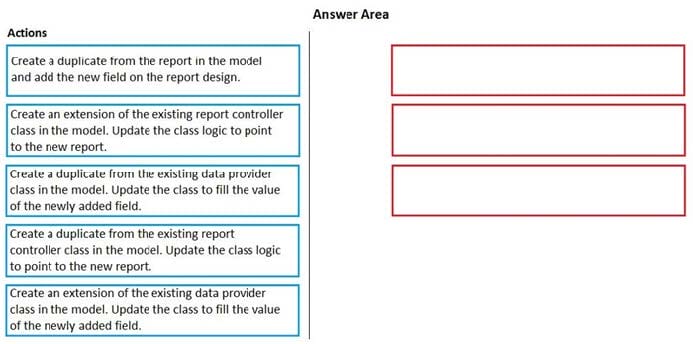
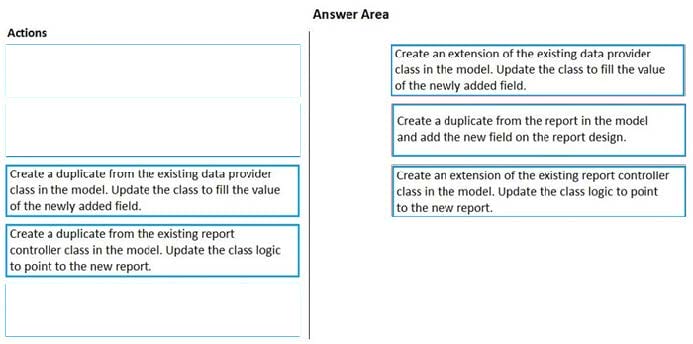
DRAG DROP
You are a Dynamics 365 Finance and Operations developer.
You have a report in an existing model that connects with the following objects:
in-memory table
data provider class controller class contract class
The report is locked for modifications.
You need to create an extension of the in-memory table in a model and you add the new field to the extension.
Which three actions should you perform in sequence? To answer, move the appropriate actions from the list of actions to the answer area and arrange them in the correct order.
Select and Place:
DRAG DROP
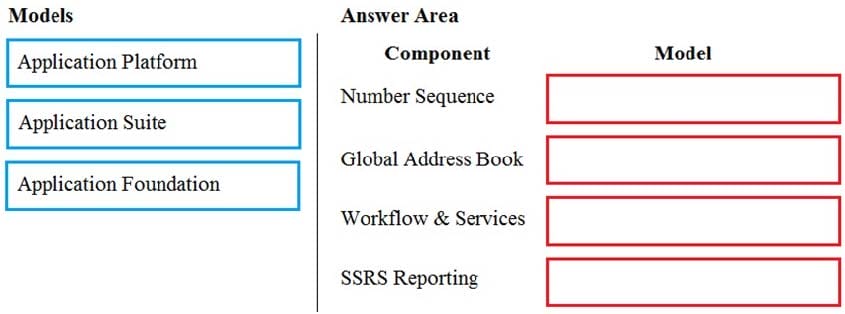
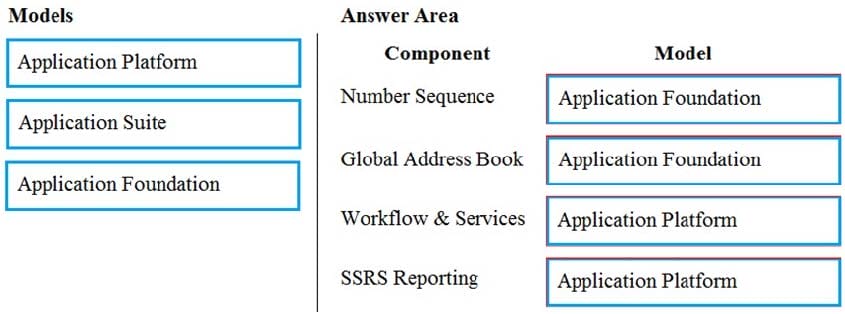
You need to map the Dynamics 365 Finance components into the standard models.
Which component belongs to which model? To answer, drag the appropriate models to the correct components. Each model may be used once, more than once, or not at all. You may need to drag the split bar between panes or scroll to view
content.
NOTE: Each correct selection is worth one point.
Select and Place:
HOTSPOT
You have the following code:
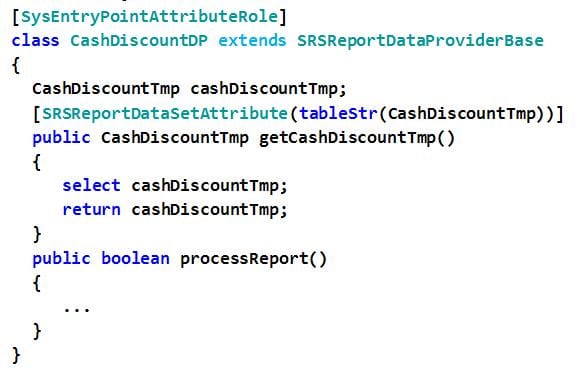
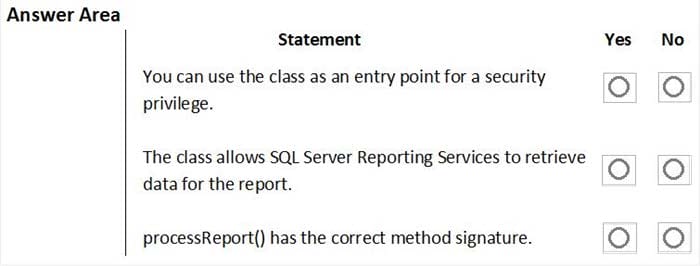
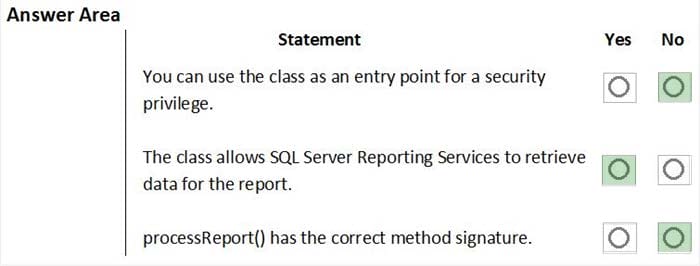
For each of the following statements, select Yes if the statement is true. Otherwise, select No. NOTE: Each correct selection is worth one point.
Hot Area:
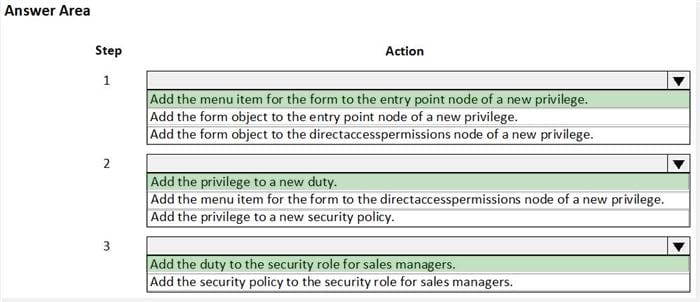
HOTSPOT
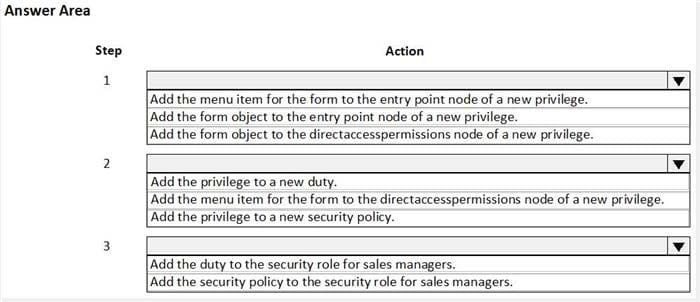
You are a Dynamics 365 Finance developer. You create a form.
You must ensure that only sales managers can view the form.
You need to set up security for the form.
What should you do? To answer, select the appropriate options in the answer area.
NOTE: Each correct selection is worth one point.
Hot Area:
HOTSPOT
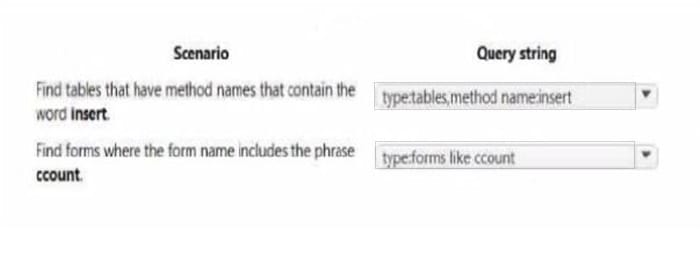
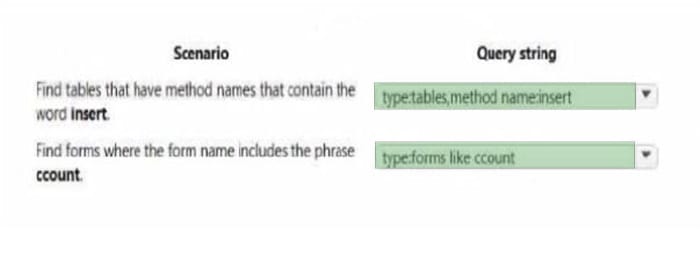
You are using the Metadata search tool in Visual Studio.
You need to select the appropriate query string for various scenarios.
Which query string should you use? To answer, select the appropriate options in the answer area.
NOTE: Each correct selection is worth one point.
Hot Area:
You are a Dynamics 365 Finance and Operations developer. You are testing a workflow in a user acceptance testing environment.
You need to ensure that a specific user can accept purchase requisitions only if the requisition is in a specific status.
Which two options can you configure to achieve the goal? Each correct answer presents a complete solution.
NOTE: Each correct selection is worth one point.
A. manual decision
B. approval process
C. conditional decision
D. automated task
E. manual task
After you answer a question in this section, you will NOT be able to return to it. As a result, these questions will not appear in the review screen.
You are developing a form for Dynamics 365 Finance.
You need to add a button that allows users to run a report.
Solution: Create an output menu item. Add the output menu item to the form button and then link the report to the output menu item.
Does the solution meet the goal?
A. Yes
B. No
Contoso, Ltd. uses Dynamics 365 Unified Operations. You receive reports of performance issues with the app.
You need to use Performance Timer to investigate the issues.
Which URL should you use?
A. https://contoso.cloudax.dynamics.com/?cmp=USMFanddebug=perftimer
B. https://contoso.cloudax.dynamics.com/?cmp=USMFanddebug=developandmi=VendTableListPage
C. https://contoso.cloudax.dynamics.com/?cmp=USMFandmi=performancetimer
D. https://contoso.cloudax.dynamics.com/?cmp=USMF=debug=developer
You create an extension of ProjTable.
You need to configure the extension.
Which three table properties can you modify in the extension? Each correct answer presents a complete solution.
NOTE: Each correct selection is worth one point.
A. Form Ref
B. Label
C. TitleField1
D. Preview Part Ref
E. Modified Date Time
You need to add new fields to the table for the Inventory Status form to represent the product name and batch ID. What are two possible ways to achieve this goal? Each correct answer presents a complete solution. NOTE: Each correct selection is worth one point.
A. Right-click the newly created table. Add two new string fields to the table. Rename one string field to Product Name and rename the other to Batch ID. Change the property of the fields to the appropriate EDTs.
B. Right-click the newly created table and add two new base enumerations to the table. Rename the new enumerations Product Name and Batch ID respectively.
C. Right-click the newly created table in the designer. Add a string field named Product Name to the table. Add an enumeration named Batch ID to the table.
D. Drag the EcoResProductName and InventBatchID extended data types (EDTs) from the Application Object Tree (AOT) to the table. Rename the fields appropriately.

Home | Contact Us | About Us | FAQ | Guarantee & Policy | Privacy & Policy | Terms & Conditions | How to buy
Copyright © 2026 pass4itsure.com. All Rights Reserved