 TESTED 21 Jul
98-383 Online Practice Questions and Answers
HOTSPOT
You are designing a website for Litware, Inc.
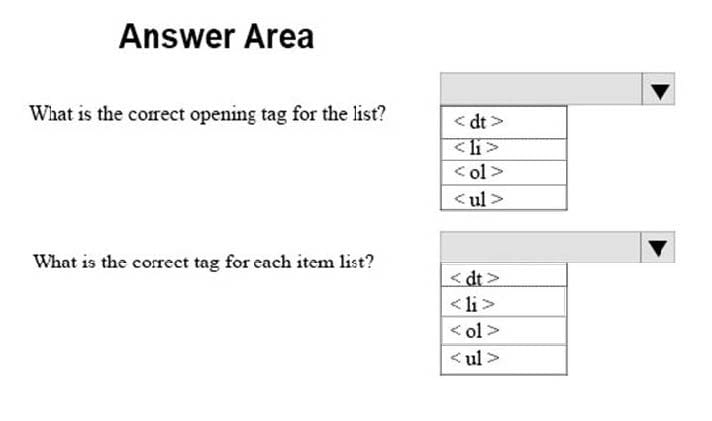
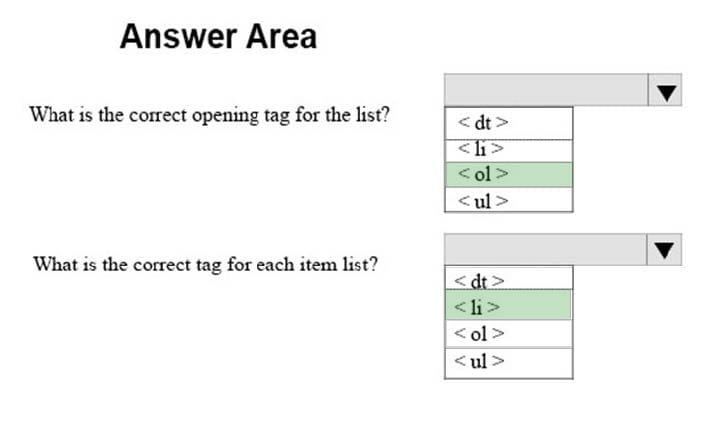
A webpage must display the following list of numbered steps:
1.
Download.
2.
Install the update.
3.
Restart your computer.
You need to create the necessary markup.
Use the drop-down menus to select the answer choice that answers each question based on the information presented in the requirements.
Hot Area:
HOTSPOT
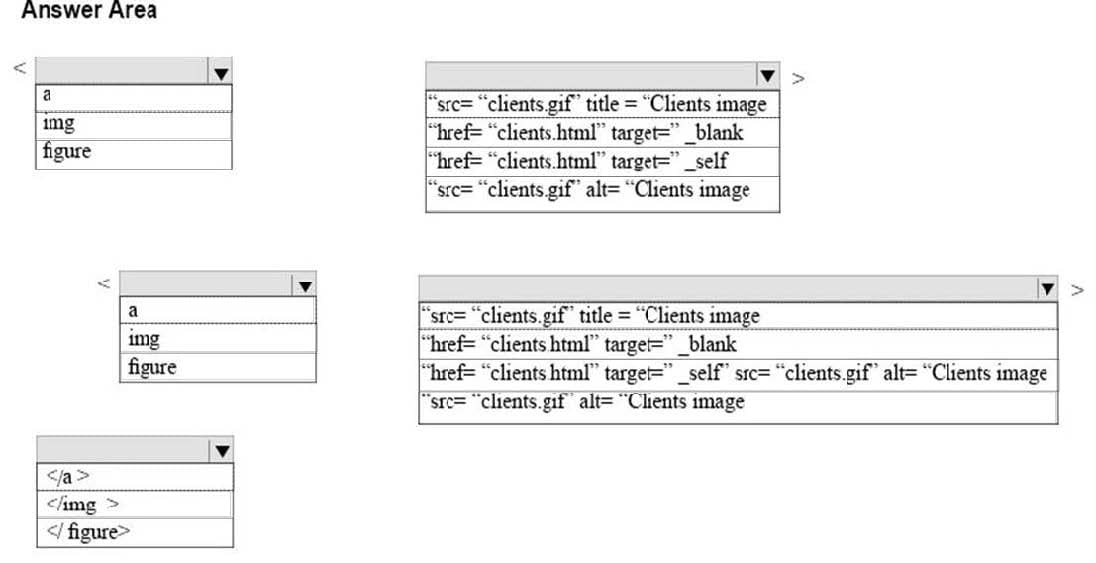
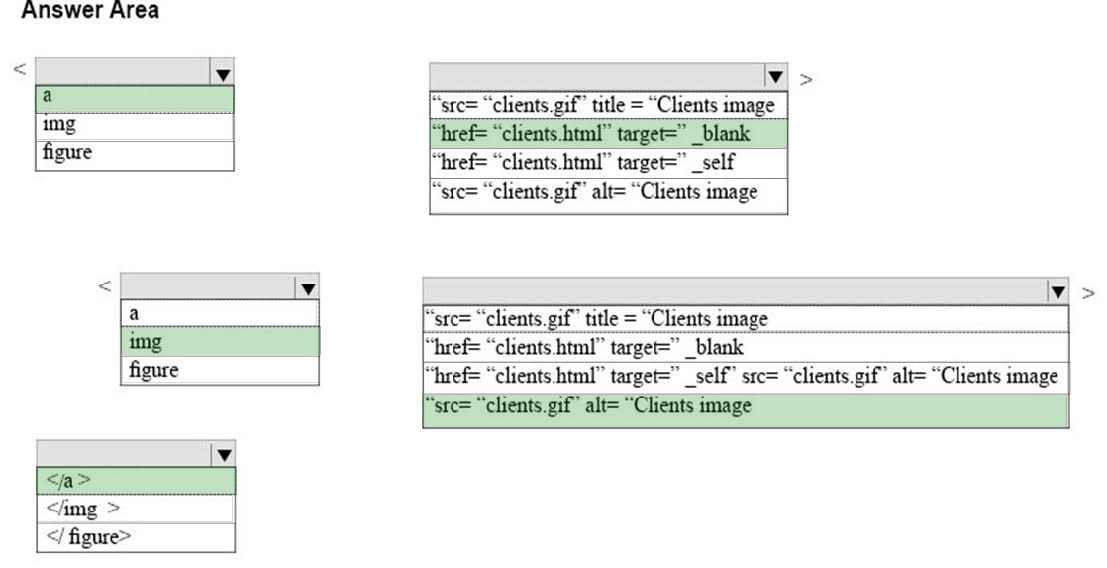
You are creating an image link to the clients.html page. When the visitor clicks on the clients.gif graphic, the clients.html page must display in a new window. The graphic must provide text for screen readers and display text while the page is
loading.
How should you complete the markup? To answer, select the appropriate markup segments in the answer area.
Hot Area:
HOTSPOT
You are creating a web form to allow visitors to sign up for a mailing list. The form will collect the information that is shown in the following screen shot: Use the drop-down menus to select the answer choice that answers each questions based on the information presented in the graphic. NOTE: Each correct selection is worth one point.
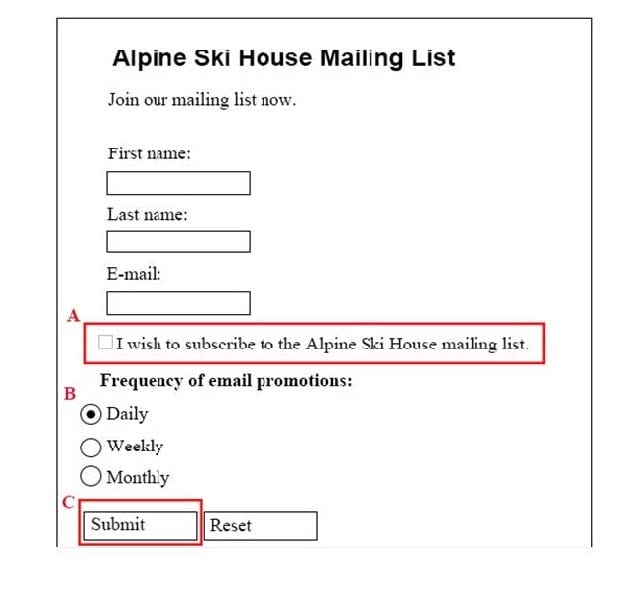
Hot Area:
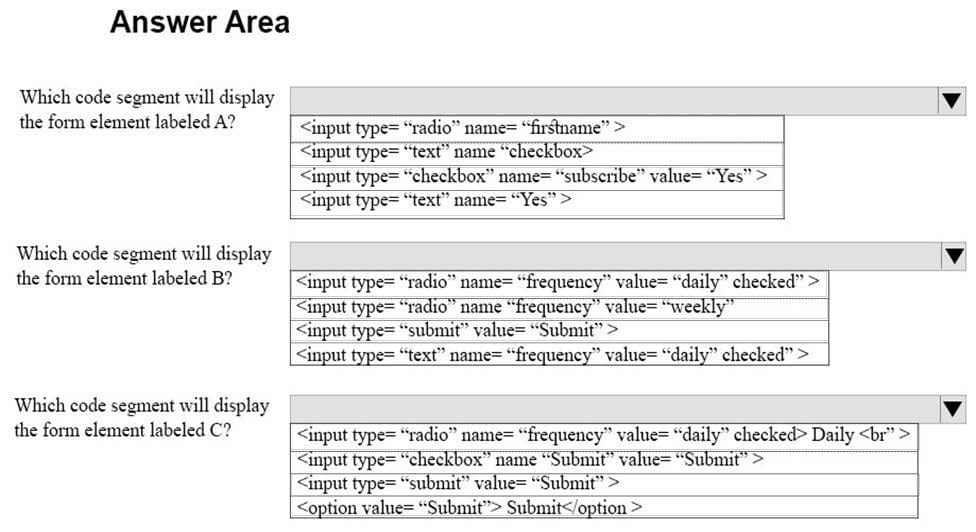
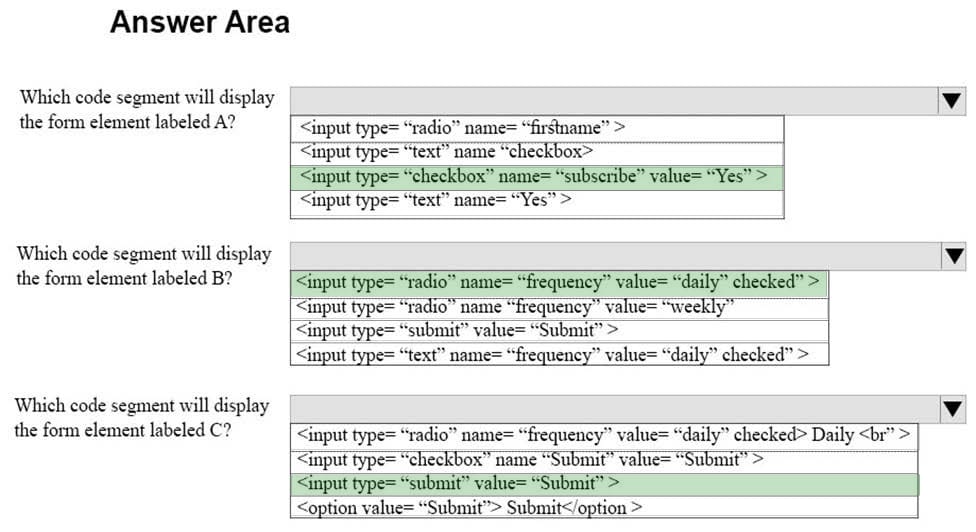
HOTSPOT
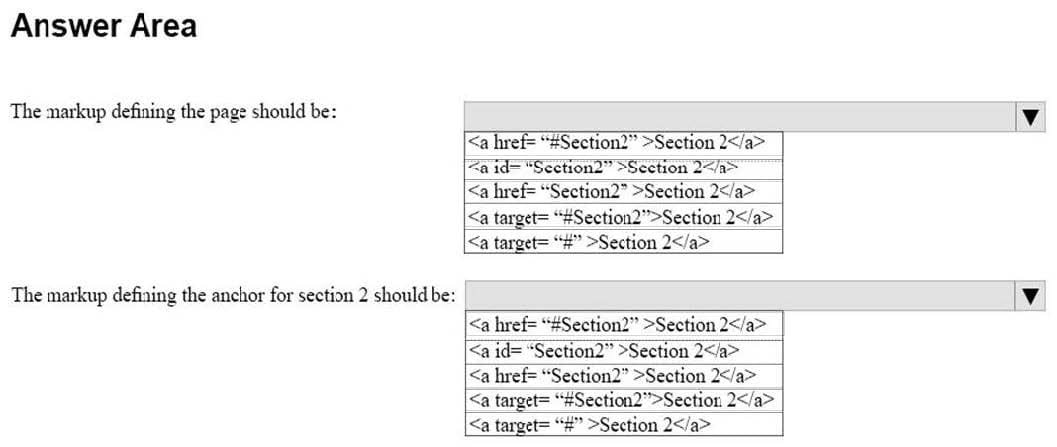
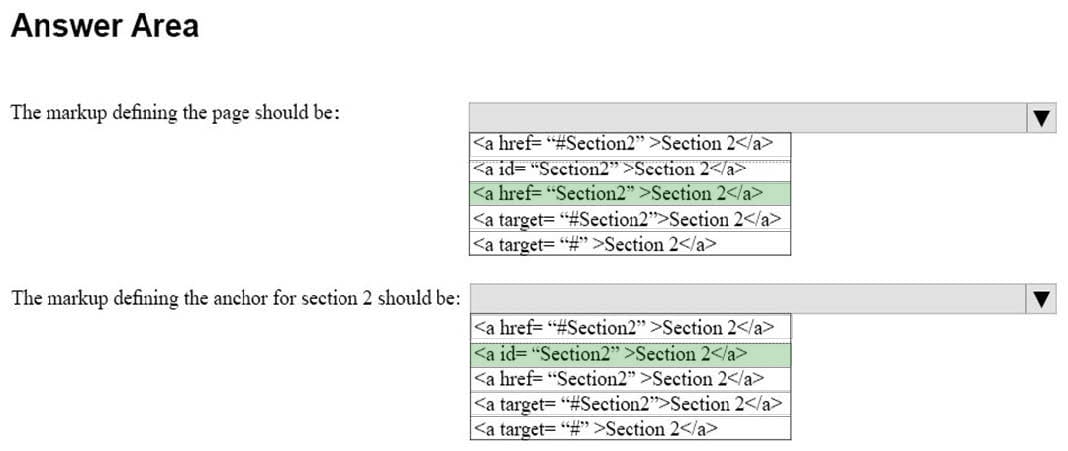
You are creating an HTML document that contains an essay with two sections.
You need to make it easy for the user to navigate from the top of the document to section 1.
How should you complete the markup? To answer, select the appropriate markup segments in the answer area.
NOTE: Each correct selection is worth one point.
Hot Area:
HOTSPOT
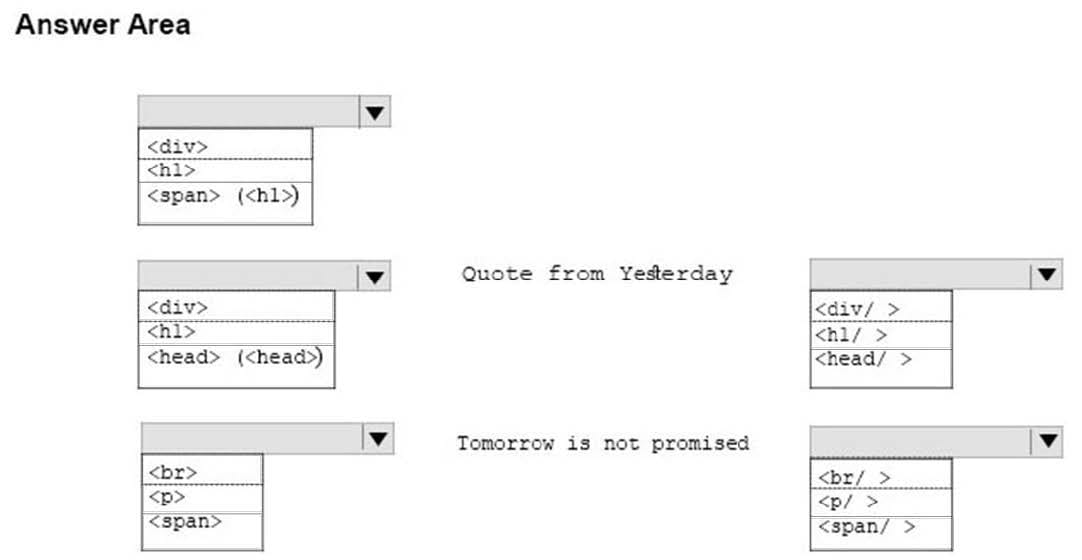
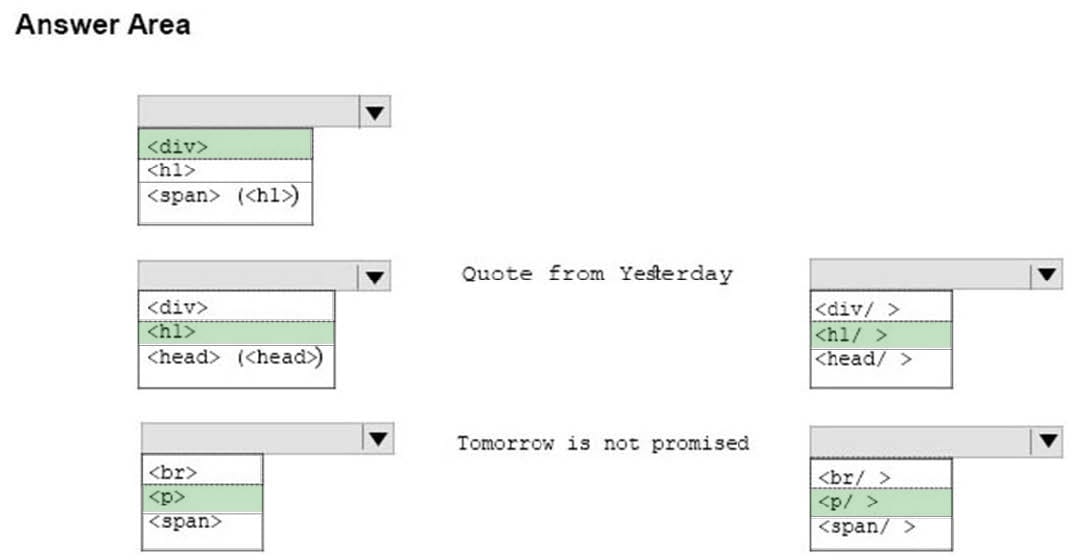
You are designing a webpage that is divided into several sections. Each section has a heading and a one-line quote. The following example shows the top section rendered by using the browser default styles:
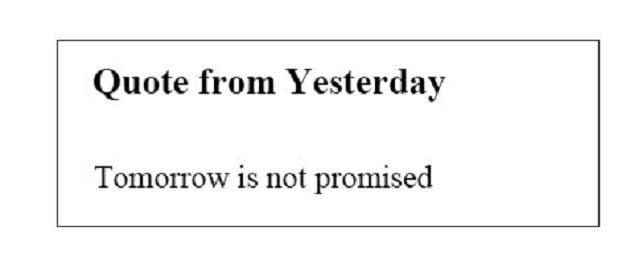
You need to complete the markup for the top section using the appropriate HTML tags.
How should you complete the markup? To answer, select the appropriate markup segments in the answer area.
NOTE: Each correct selection is worth one point
Hot Area:
HOTSPOT
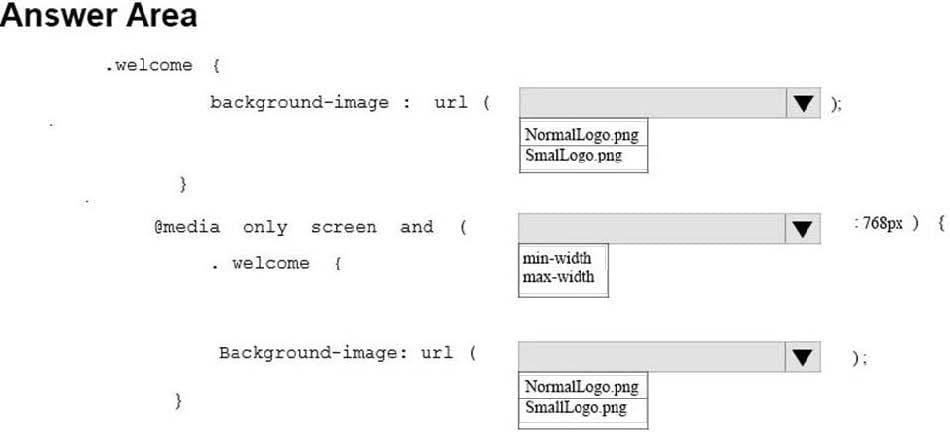
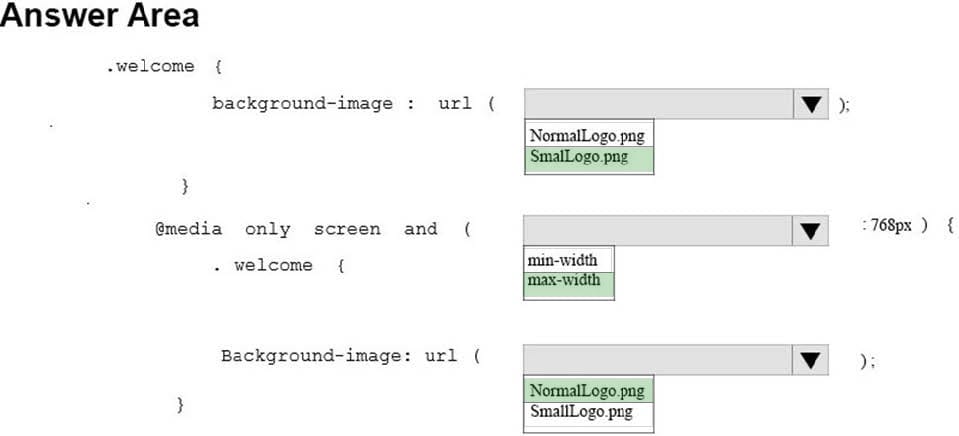
You are designing a webpage for your company. The page must be responsive so that it can be viewed on both mobile and desktop browsers.
On mobile browsers, or those with a screen width of less than 768 pixels you want to display a welcome background image named SmalLogo.png. On all other browsers, you want to display a welcome background image named
NormalLogo.png.
How should you complete the code? To answer, select the appropriate code segment in the answer area.
NOTE: Each correct selection is worth one point.
Hot Area:
HOTSPOT
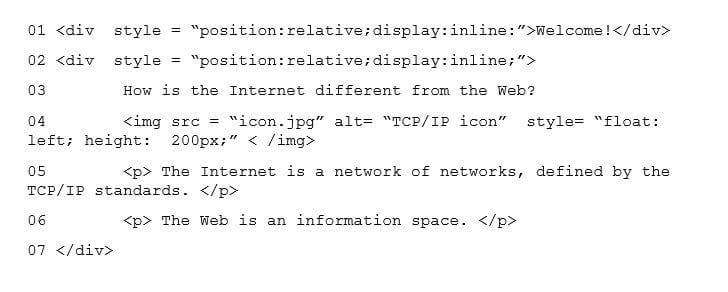
You are designing a webpage for your company. You want to display an image named contoso.png on the page. If the user's Internet connection is slow, or if the user is visually impaired, you want the text Contoso Logo to be displayed or
read aloud.
How should you complete the markup? To answer, select the appropriate markup segments in the answer area.
Hot Area:


DRAG DROP
You are creating a page on your personal website to display your family portrait. You need to make sure that browsers display the text Family Portrait before the photo is downloaded.
How should you complete the markup? To answer, drag the appropriate markup segment from the column on the left to its correct position on the right. Each markup segment may be used once, more than once, or not at all. You may need to
drag the split bar between panes or scroll to view content.
Select and Place:


Analyze the following CSS for a webpage:
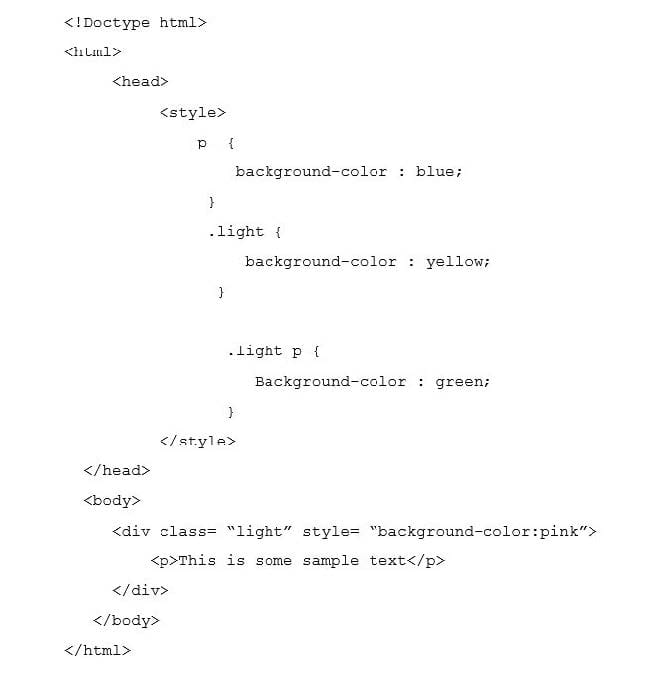
What is the resulting background color of the paragraph element?
A. Pink
B. Blue
C. Yellow
D. Green
This question requires that you evaluate the underlined text to determine if it is correct.
Static positioning places an element at specific coordinates relative to the page or the element's container.
Review the underlined text. If it makes the statement correct, select "No change is needed." If the statement is incorrect, select the answer choice that makes the statement correct.
A. No change is needed
B. Absolute positioning
C. Relative positioning
D. Fixed positioning

Home | Contact Us | About Us | FAQ | Guarantee & Policy | Privacy & Policy | Terms & Conditions | How to buy
Copyright © 2026 pass4itsure.com. All Rights Reserved